when you’re trying to stay focused on something, there’s no shortage of distractions on your phone, through your web browser, or out the window. And with attention spans crumbling in the TikTok era, we now have an entire category of apps dedicated to helping you stick to what you’re supposed to be doing.
These apps all work more or less in the same way, giving you a straightforward method of tracking how long you’re spending on a task, and offering some sort of incentive to keep going for the allotted amount of time. Sometimes you get a few extra features as well, like the ability to block access to other apps.
In the interest of trying to write this specific article without switching between browser tabs and apps every two minutes, I gave three of the best focus tools a try. Here’s how they stack up.
Focus Friend
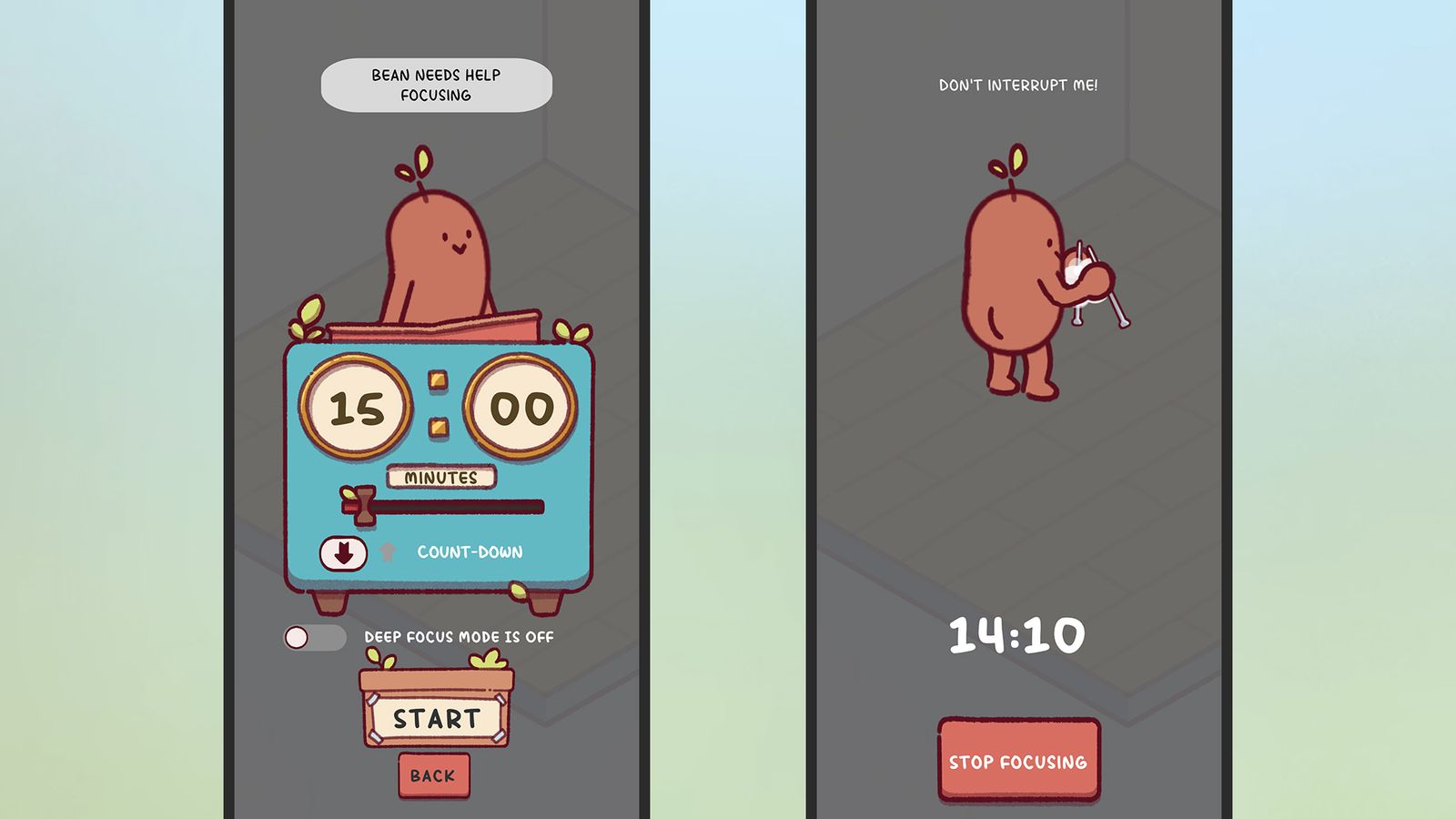
The vibe of Focus Friend is very much a warm and cozy one. When you first set up the app, you get your own personal bean, which you can give a name to. Once you’re through the intro screens, your bean will start knitting—and anytime you pick up your phone after that, the knitting stops.
The idea is that if you stick to the block of time you’ve set, your bean can come up with a variety of knitted creations, which can then be traded for different decorations for your bean’s living space. As you might expect, you can pay for decorations too, and a Pro subscription ($2 a month) means your bean is able to get more creative with its knitting.
It’s up to you how long your focus sessions are, and you have the option of playing some relaxing music, blocking access to other apps, or keeping the screen on while you work or study—and while your bean gets busy doing some knitting. It’s all quite whimsical and easy to set up. You don’t even need to register a user account.
How effective you find Focus Friend really depends on how taken you are by your bean and its knitting projects. At its core the app is really just a stopwatch, though the option to actually block other apps is useful. For me, the extra dollop of cutesy companionship does make a difference, and helps sticking to a task.
Focus Friend for Android and iOS (free or from $2 a month)
Forest

The trick that Forest uses to keep you focused is growing virtual trees inside the app. The longer you stay engaged and able to avoid distractions, the more trees you get—until you have your very own forest on your phone. The app developers have partnered with the nonprofit Trees for the Future to grow millions of actual trees out in the real world too.
It’s a beautifully designed app, which of course tends to make you more likely to want to load it up and spend time inside it. You can tell that real care and attention has gone into the aesthetics here, and while I wasn’t able to grow anything beyond a small thicket during my testing, it’s all really well presented on screen.
Something else Forest does well is keeping records, and you’re able to look back on your focus and productivity stats over time—definitely appealing if you’re interested in seeing the days and times you work best, keeping yourself accountable, and setting goals. (Time slots can be tagged as well, for further analysis.)
You get both timer and countdown modes, as well as options to add breaks and share your sessions with other people, so you can try and stay focused together. It really worked well for me, and I like every aspect of the Forest approach—though it will cost you $4 up front on the iPhone, while the Android app is free with optional in-app purchases.
Forest for Android (free or $2) and iOS ($4)
Focus Traveller

I’ve only got one complaint about Focus Traveller, which is that there’s no Android version. If you’re an iPhone user though, it’s undoubtedly one of the most polished and engaging focus aid apps out there, framing your working sessions as steps along a journey across the countryside and up mountains.
The graphics here are superb, from the settings screens where you choose your timed sessions, to the animations that play onscreen while you’re working. (I spent most of the first couple of my productivity bursts just looking at my phone screen.) Your walks are accompanied by chilled out tunes, and you can also pipe tracks in from Apple Music.
There’s an extensive list of features here: countdown and stopwatch modes, support for breaks, a choice of different character graphics and seasonal settings to travel through, the ability to run focus sessions with other people, and a stats screen where you can dig into your session history and see the progress you’re making.
The combination of beautiful visuals, the sense of making progress, and the flexibility in terms of settings really worked for me. Focus Traveller got me concentrating very well on finishing this article off. There is a paid tier for the app, from $1 a month, which gets you access to more graphics and customization options.
Focus Traveller for iOS (free or from $1 a month)
Disclaimer : This story is auto aggregated by a computer programme and has not been created or edited by DOWNTHENEWS. Publisher: wired.com