College laptops don’t have to be embarrassing. Nor do they have to be overly expensive. There are a lot of great laptops for college students that combine long battery life, easy portability, and the performance needed for everyday coursework in a great design.
I’ve been reviewing laptops for over a decade and have tested hundreds over the years, and if someone asked me what to buy, these are the options I’d suggest.
Be sure to check out our other computing guides, including the Best Laptops, Best Budget Laptops, Best MacBooks, Best Windows Laptops, Best Gaming Laptops, Best Chromebooks, and Best Laptop Bags.
The Best Overall College Laptop


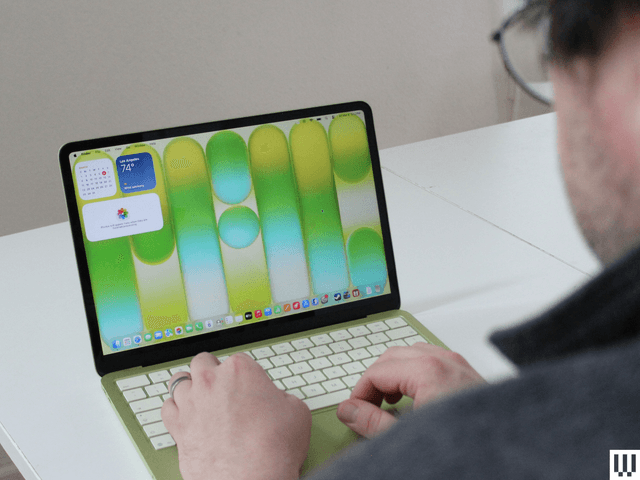
The MacBook Air is my choice for best overall laptop. It’s the one almost everyone should buy. But college students have different needs—and in most cases, different budgets. It needs to be affordable, but ideally it should also be lightweight and easy to carry around. The MacBook Neo fits the bill perfectly. It’s only 2.7 pounds and starts at just $599. It also has a smaller display, which gives this a smaller footprint to fit on those tiny lecture hall desks. What makes the MacBook Neo special, however, is the lack of compromise around quality. It’s a gorgeous piece of hardware, with fun colors, an excellent trackpad, a beautiful display, and that Apple “it” factor. I recommend the $699 model, which gets you twice the storage and a Touch ID fingerprint reader.
Of course, this isn’t a laptop without downsides. Apple invested its efforts in the front-of-screen experience, but it chose to make cuts to things like performance, ports, and memory to keep costs low. The limitation of 8 GB of memory is my biggest sticking point with this device, and it means that you’ll need to be more attentive to how many applications, tabs, and background tasks you have running. It can also only connect to one external display at a time.
-Reviewer-Photo-SOURCE-Christopher-Null.jpg)
If the idea of buying a laptop with only 8 GB of RAM in 2026 seems questionable, I don’t blame you. And if that sounds like you, I recommend the Asus Zenbook A14. Not only does it come with 16 GB of RAM, it’s the lightest laptop you can buy right now at just 2.1 pounds. A 0.6-pound weight difference sounds minor, but it’s a 22 percent weight savings and the Zenbook A14 is noticeably easier to carry than the MacBook Neo. You’ll hardly notice this thing in your laptop bag when you’re trekking across campus.
The price of the Zenbook A14 varies quite a bit. It regularly alternates between $600, $830, and $1,000, but there’s often a deal available that makes it an affordable device. There’s also the 2026 model, which comes with the second-gen Snapdragon X2 chip. At $1,600, though, it’s just not worth the extra cash.
The Best Cheap College Laptops

The options listed above are fairly affordable, coming in at under $1,000. But even if your budget is $600 or less, there are still laptops that offer solid performance and good battery life. The HP OmniBook 5 frequently sells for $600 or less, making it an adequate MacBook Neo alternative. Better yet, HP’s laptop ships with more memory and storage. The OLED panel display is fantastic too, and the laptop is remarkably thin. The only significant downside is the touchpad, which feels clumsy to use. I could get used to it over time, but it is the Achilles’ heel of this OmniBook 5 (and really, nearly all budget laptops).
There’s also room in the discussion for Chromebooks too, especially if you’re aiming for lower prices. As much as college students who grew up using cheap Chromebooks in high school probably never want to see one again, they do offer a very affordable alternative to Windows. While the Lenovo Chromebook Plus 14 is my all-time favorite Chromebook, it’s priced a bit higher due to the exceptional OLED screen and long-lasting battery life. The Acer Chromebook Plus 514 Spin is a close second, as it uses the same excellent MediaTek Kompanio Ultra chip. But it’s a bit expensive right now too.


If you really want a couple of cheap Chromebook options, I’d recommend the Acer Chromebook 516 Spin. It’s under $500, and it’s a surprisingly great Chromebook, with a decent display, touchpad, port selection, and build quality. I wish it were a bit thinner, but the 16-inch screen gives you a more expansive view of your work, which might be preferable for some. Unless you really enjoy the Chromebook experience, though, the HP OmniBook 5 is the better option, and it ensures you won’t run into any app compatibility issues. Chromebooks can handle everyday tasks like word processing and browser-based apps, but you may encounter compatibility issues with software required for some classes. You can download Android apps on Chromebooks, but that’s about it.
I do recommend spending closer to at least $500 on a laptop for college, especially since you’d hope it will last through all four years (and beyond). That’s where at least the HP OmniBook 3, listed below, comes in to play. And if you really need something cheap in a moment of desperation, check out the Asus Chromebook CX14 below too, which often sells for under $300.
Best Powerful College Laptops For STEM


Not everyone needs a powerful laptop to tote around campus. But if you’re in a STEM field, or even just like to play games on the weekend, buying a single, powerful laptop to be your main machine at college is a good idea. Unfortunately, there’s no gaming laptop that is powerful, portable, and affordable. You can only have two of those three things. If you remove the portable part, the best option I’ve tested is the Lenovo LOQ 15 (8/10, WIRED Recommends). It’s usually priced around $1,000, and despite that, gets excellent gaming performance. And by extension, it’ll also handle creative, media, or AI apps really well. It’s hard to beat a discrete GPU when it comes to raw performance, which is exactly what the RTX 5060 in the LOQ 15 delivers.
While this used to routinely cost under $1,000, the price has slowly crept up over the past six months, but it’s still the most affordable gaming laptop you can buy that doesn’t suffer from severe performance compromises.


Now, if you can afford to dish out some more money, I’d point you to either the Razer Blade 14 or the MacBook Pro. Despite the thin profile of the Razer Blade 14 (8/10, WIRED Recommends), you can still configure this powerful laptop with an RTX 5090 graphics card. Aside from the high price, battery life is a limitation. You might run out halfway through your day, forcing you to find an outlet in a hurry. The MacBook Pro, whether you opt for the M5 Pro, M5 Max, or an older chip, resolves this issue. Gaming isn’t its strongest suit, but it delivers exceptional performance in creative applications and can be equipped with up to 128 GB of unified memory for serious on-device AI workloads.
Other Laptops to Consider for College

Apple iPad Air for $749: iPads can be solid laptop replacements, so long as you get the right one. The latest M4 iPad Air (7/10, WIRED Recommends) is the best example, as it’s not too expensive but still gives you the option for a larger, 13-inch display. The recent changes to iPadOS bring desktop-like multitasking to the platform, and when paired with a Magic Keyboard, you have a very capable 2-in-1 laptop. It’s an expensive accessory, but the keyboard and trackpad are both top notch, on par with a high-end laptop.
The recent changes to iPadOS bring desktop-like multitasking to the platform, and when paired with a Magic Keyboard, you have a very capable 2-in-1 laptop.
Lenovo IdeaPad Slim 5x for $850: This 15-inch laptop sits right in between the MacBook Neo and MacBook Air in terms of price, and unlike so many similar laptops, it doesn’t have many compromises. The screen is brighter and more colorful than I expected, and even the touchpad feels smooth and responsive. It even gets excellent battery life and delivers a good balance between screen size and portability. It comes highly recommended if it fits your budget.
Microsoft Surface Pro 12 for $729: I can’t think of a better device to bring to class for notetaking than the Surface Pro 12 (6/10, WIRED Review). While I recommend the larger Surface Pro 13 for most people, college students are the exception. The thinner and lighter size of the Surface Pro 12 works to its advantage in this case, giving you a super-portable Windows device. It has really solid hardware too. The Snapdragon X Plus provides just as much power and long-lasting battery life as the larger model. I wish it were a bit more affordable, as you’ll still need to add on the Surface keyboard and a USB-C power supply.
Framework Laptop 12 for $549: You can’t expect most budget laptops to last more than the four years of college. The Framework Laptop 12 (7/10, WIRED Recommends) promises something longer-lasting, as all Framework laptops do. This one is the smallest and cheapest in the lineup, and despite the price, the display and trackpad are both better than I expected. The only problem is the limited RAM.
Lenovo Yoga Slim 7x Copilot+ PC for $999: Lenovo’s svelte Yoga Slim 7x (7/10, WIRED Recommends) isn’t exciting, but it offers the best price-to-performance ratio of the many Copilot+ PCs we’ve tested. The OLED display, battery life, and performance are standouts, though the fan tends to run loud. The price can range wildly. It’s not worth buying at full price, but I’ve seen it drop to as low as $800.
Disclaimer : This story is auto aggregated by a computer programme and has not been created or edited by DOWNTHENEWS. Publisher: wired.com