
Many loyalty programs don’t let you transfer points to other members, while others charge a fee to move points to another member. But with World of Hyatt, members can gift points to other members for free and with few restrictions.
That’s right: Hyatt members can transfer points to other members without paying a fee. And the program just made it easier to do so. Here’s what you need to know about transferring Hyatt points to other members.
Can you transfer Hyatt points to another person?
You can transfer Hyatt points in your account to any other World of Hyatt member as long as you and the other member have active accounts that have been open for at least 60 days.
No family or household affiliation is required, but you can gift Hyatt points from your account to another only once per calendar month and up to six times per calendar year. Similarly, you can receive Hyatt points from another account only once per calendar month and up to six times per calendar year.
There’s no cost to transfer Hyatt points to another member. However, you can only transfer up to 525,000 points per calendar year and receive up to 525,000 points per calendar year. You must transfer at least 1,000 points per transfer, but transfers are otherwise available in 500-point increments.
Related: Maximize your Hyatt points: 5 smart award redemption strategies
How to gift Hyatt points to another member
Before this, if you wanted to transfer Hyatt points from your account to someone else’s, you had to undertake a convoluted process that involved downloading a PDF and emailing it back to Hyatt.
Now you can transfer Hyatt points to another member much faster via an online process. Head to Hyatt’s purchase, share and gift page, and click on the “Gift your points” link.
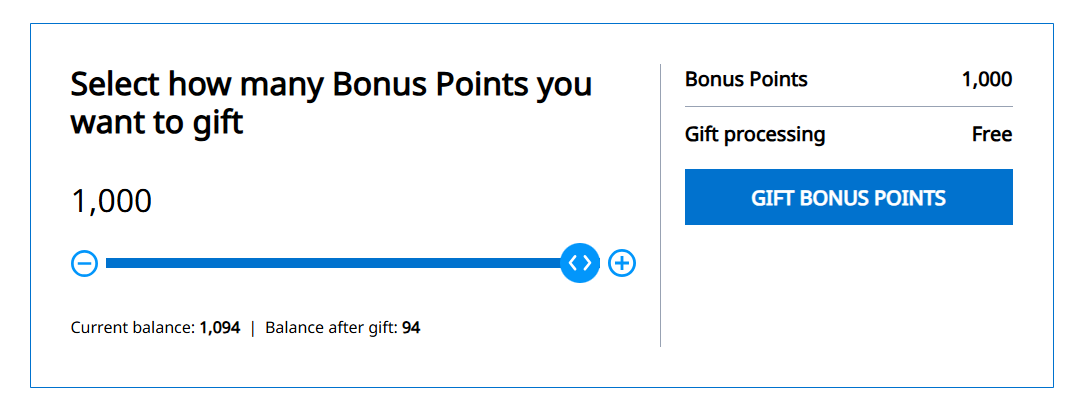
Doing so will take you to the Hyatt gifting page on points.com’s website. Here, you can select how many Hyatt points to gift.

Daily Newsletter
Reward your inbox with the TPG Daily newsletter
Join over 700,000 readers for breaking news, in-depth guides and exclusive deals from TPG’s experts
By signing up, you will receive newsletters and promotional content and agree to our Terms of Use and acknowledge the data practices in our Privacy Policy. You may unsubscribe at any time.
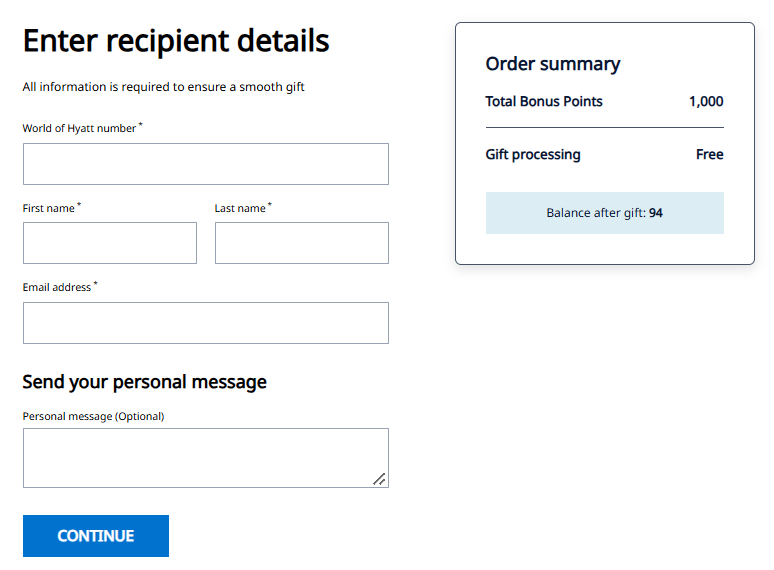
On the next page, you’ll need to enter the World of Hyatt number, first name, last name and email address of the person to whom you want to gift Hyatt points. For a successful transfer, the details you enter should match the information on their Hyatt account.
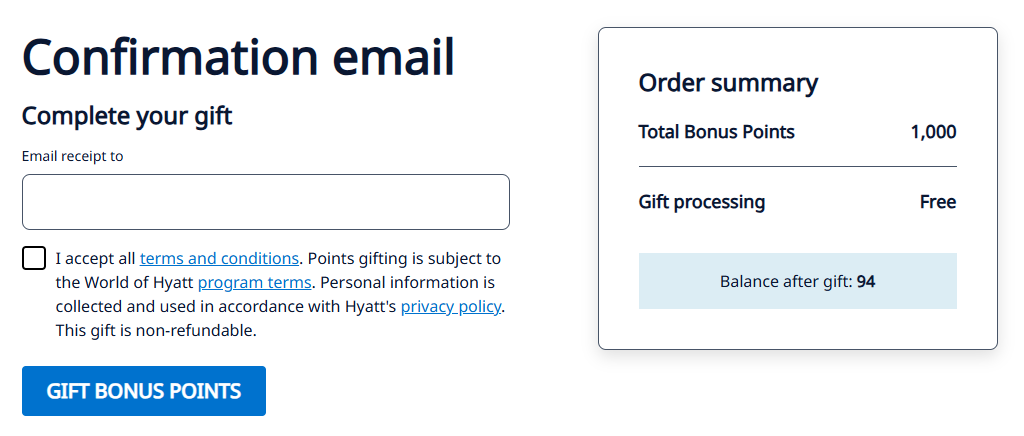
You can enter an email address on the next page for your confirmation email, and check the box to accept the terms.
Double-check the recipient’s account information and the number of points you’re transferring before submitting your request, as Hyatt’s terms state that transfers are final. Once you submit the transfer request, you’ll see a confirmation page and get a confirmation email.
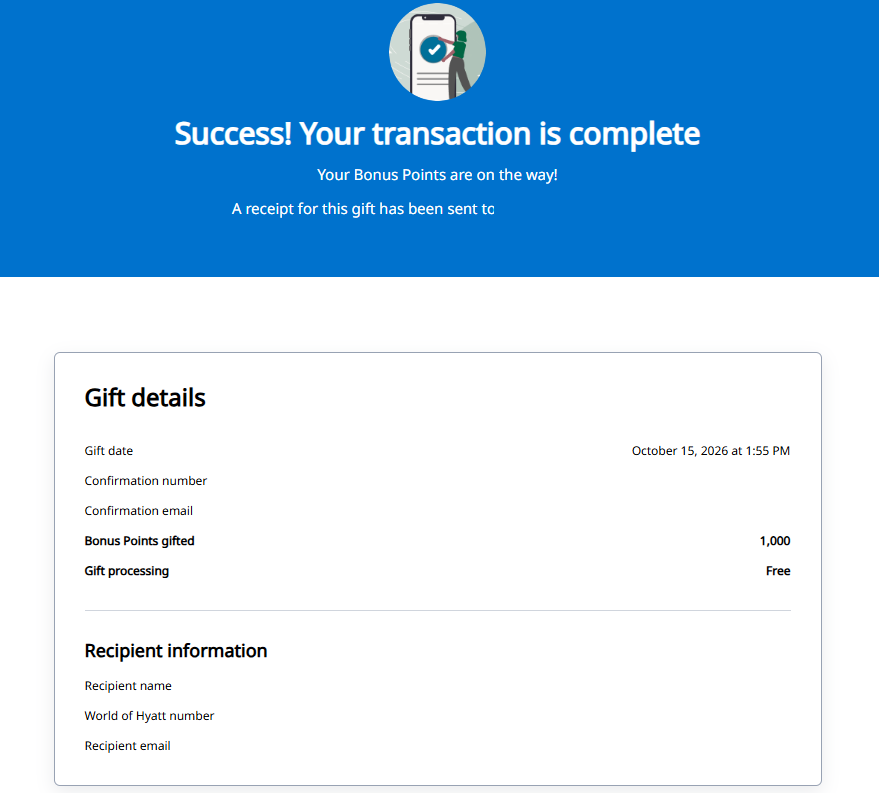
Hyatt says points generally transfer within 24 hours, but may take up to 10 business days if additional review is needed. However, when I tested out the new digital transfer process, the points were posted to the recipient’s account immediately.
Related: The 14 best Hyatt all-inclusive resorts in the world
When should you gift Hyatt points to another person?
Gifting points might seem like an excellent idea if you’re planning a vacation with other World of Hyatt members. While there are some great Hyatt Category 1 hotels, higher-category properties can require significantly more points under the current Hyatt award chart. Transferring points into a single account from which you can redeem them can bring these more expensive award stays within reach.

Pooling your points with friends or family could also allow you to redeem Hyatt points for an upgraded room or to book a longer stay than might otherwise be possible.
You might also consider transferring your Hyatt points to another member to prevent them from expiring. You’ll forfeit your World of Hyatt points if your account is inactive for 24 consecutive months, but transferring points counts as account activity.
Related: 22 best Hyatt hotels in the world to book with points
How to earn more Hyatt points
If you need to earn more Hyatt points, you can transfer Chase Ultimate Rewards points to Hyatt. Points earned with the Chase Sapphire Reserve® (see rates and fees) or Chase Sapphire Reserve for Business℠ (see rates and fees) transfer at a 1:1 ratio to World of Hyatt.
Meanwhile, points earned with the Chase Sapphire Preferred® Card (see rates and fees) and the Ink Business Preferred® Credit Card (see rates and fees) transfer at a 4:3 ratio to Hyatt.
You can also currently transfer Bilt Points to Hyatt at a 1:1 ratio. However, this ratio will drop to 4:3 on Jan. 1, 2027.

If you want to earn Hyatt points directly, consider the World of Hyatt Credit Card (see rates and fees) or the World of Hyatt Business Credit Card (see rates and fees). Both cards offer valuable welcome offers and let you earn Hyatt points when making purchases.
Related: Is the World of Hyatt credit card worth the annual fee?
Bottom line
World of Hyatt has long allowed members to transfer points to each other for free, but the new digital process makes this benefit much easier to use. Whether you’re pooling points with friends or family for a more expensive award stay or simply topping off another member’s account, being able to complete the transfer via an easy online process is a welcome improvement.
Disclaimer : This story is auto aggregated by a computer programme and has not been created or edited by DOWNTHENEWS. Publisher: thepointsguy.com