Other Laptop Docking Stations to Consider
We test a lot of laptop docking stations and, quite frankly, most of them are … fine. They’re fine! We get into the nitty-gritty for specific use cases to find the best, but that leaves a bunch of devices that are great options even if they don’t make our top picks. Here’s a selection of some of our favorites, past favorites, or just alternatives to our picks above.
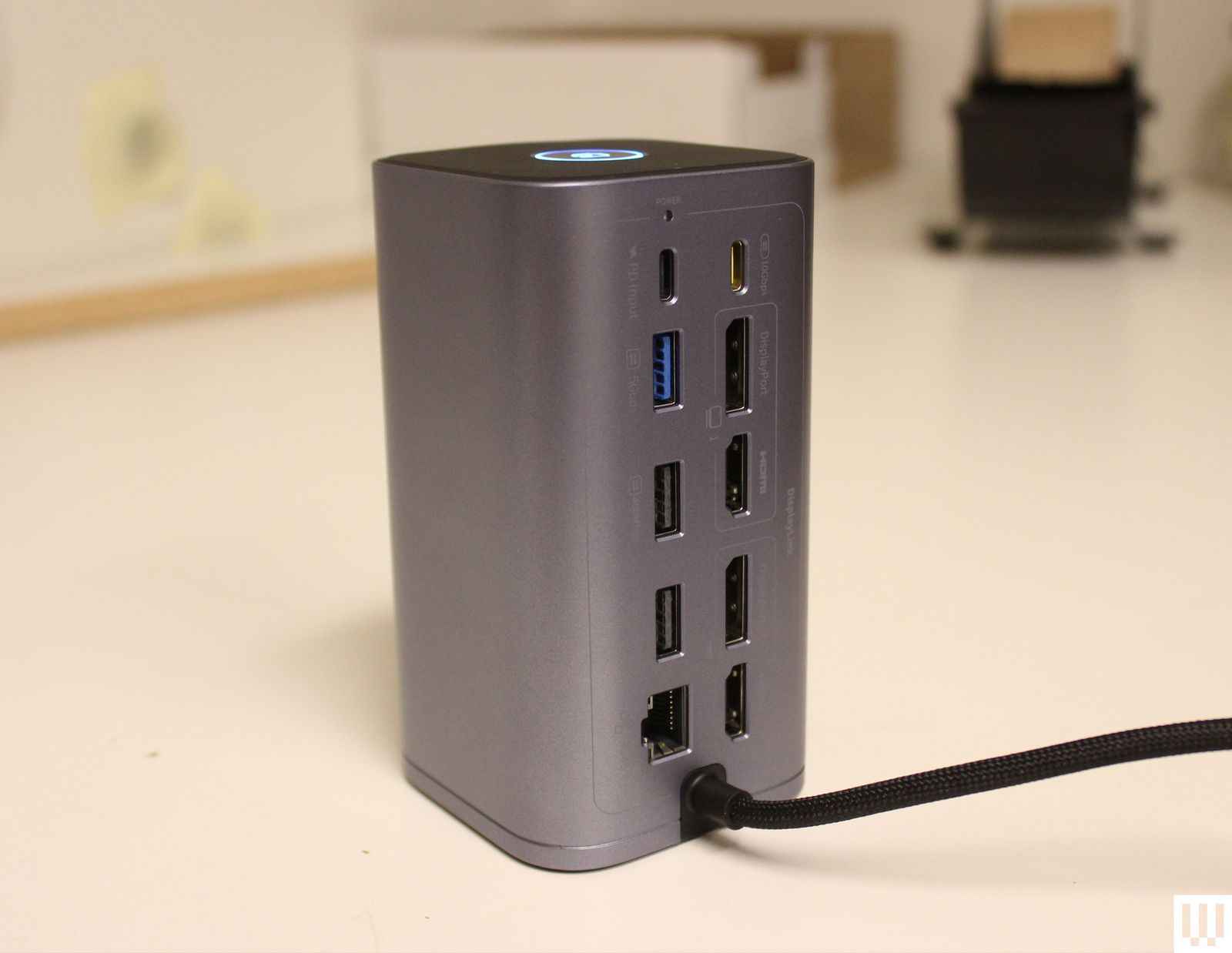
Photograph: Luke Larsen
Baseus Spacemate Air 12-in-1 Mac Docking Station for $200: This is a really great budget option to the Plugable 5-Display USB-C dock above. While that one offers a faster and more full-featured way to get extra external displays, the Spacemate Air 12-in-1 gives you two 4K displays. That’s especially helpful if you own an older MacBook Air or just appreciate the ease of use of connecting all your peripherals, displays, and accessories over a single USB-C cable. But I don’t love the integrated cable; there are no card slots, and some of the USB ports aren’t very fast.
Belkin Connect Pro Thunderbolt 4 Dock for $300: This one is a bit expensive for a Thunderbolt 4 dock, but it gets you 12 ports, including support for up to two 4K displays at 60 Hz and 90 watts of power delivery to your laptop. Like the Spacemate Air, it also includes some slower USB-A ports, though.
Satechi Thunderbolt 4 Slim Pro Hub for $200: Sometimes, simpler is better. This docking station from Satechi is small, made of sturdy aluminum, and comes with just three Thunderbolt 4 ports on the rear, each of which is capable of up to 40 Gbps. Nothing else. This layout is surprisingly clean, with only a few cables coming out of the back, and one running to your laptop. If all you need is to connect to a couple of monitors or high-speed data storage and you like to keep your desk free of clutter, this is a great option. —Eric Ravenscraft
Satechi Triple 4K Docking Station for $300: Satechi’s Triple 4K Docking Station supports three monitors, and while the first display output is HDMI-only, the two others can be connected via either HDMI or DisplayPort. Each display supports up to 4K resolution at 60 Hz, which is more than enough for most office or media work, though don’t expect it to support the high frame rates you might want for gaming. —Eric Ravenscraft
Kensington Triple Video Mobile Dock for $90: A mobile docking station might sound like a contradiction, but in the case of the tiny Kensington Triple Video Mobile Dock, it makes a lot of sense. Using the included two HDMI ports and the DisplayPort, this little device can power three 1080p displays or two 4K displays—all at 60 Hz. It also has a USB-C port with 85 watts of pass-through charging, which is enough to charge most laptops. The downside is that it only supports a single 4K monitor on MacBooks, as the dual 4K support is only for Windows devices.
Satechi Dual Docking Station and Stand for $170: It’s tough for laptop docking stations to stand out—most of them are simple boxes that add extra ports to your laptop—but Satechi’s Dual Docking Station and Stand breaks the mold. It sits neatly under your laptop and elevates it slightly, putting it at an angle that has better ergonomics. A collection of three USB ports and three monitor output ports on the rear are conveniently placed so your desktop setup can stay connected while cables are tucked out of the way. A hardware switch on the back lets you turn the dock on or off. There’s also a small strip of rubber on top and a built-in NVMe solid-state drive. While no SSD is included, you can plug in your own (something like this will work) to give your dock storage to offload files from your laptop.—Eric Ravenscraft
Sonnet Echo 13 Thunderbolt 5 Dock for $460: Sonnettech’s Echo 13 was one of the first Thunderbolt 5 docks out on the market. As it turns out, it’s also one of the most unique offerings out there, including just about every port imaginable as well as an integrated M.2 storage slot with a Kingston SSD inside. While handy, I don’t like that the drive isn’t user accessible. The cheap plastic chassis is disappointing for the price, too.
Ivanky FusionDock Max 1 Thunderbolt 4 Docking Station for $330: It’s hard to overstate how excessively luxurious this dock is. It’s specifically for MacBook Pro users and can tackle up to four 6K screens, something only recent MacBook Pros support. The Ivanky FusionDock Max 1 accomplishes this via four USB-C Thunderbolt 4 ports, each capable of 40 Gbps data transfer speeds. If you’re building the beefiest media workstation you can for the most powerful MacBook Pros on the market, this is it. Just put it on the company card, because it’s expensive. —Eric Ravenscraft
Ugreen Revodok Max 213 Thunderbolt 4 for $300: Few people need an 8K display—or multiple 4K displays—but those who do know how difficult it can be to find gear that supports one. Fortunately, the Revodok Max 213 from Ugreen fits that bill. The DisplayPort 1.4 port can handle up to an 8K display at 30 Hz. It also comes with a Thunderbolt 4 upstream port that runs to your laptop, and, more importantly, a pair of downstream Thunderbolt 4 ports, which is another rarity among the docks I’ve tested. If you need to transfer a ton of media from various sources into one machine, connected to seriously high-res displays, this is the dock that can handle it all. —Eric Ravenscraft
Power up with unlimited access to WIRED. Get best-in-class reporting that’s too important to ignore for just $2 per month for 1 year. Includes unlimited digital access and exclusive subscriber-only content. Subscribe Today.
Disclaimer : This story is auto aggregated by a computer programme and has not been created or edited by DOWNTHENEWS. Publisher: wired.com